— Guides · Feed
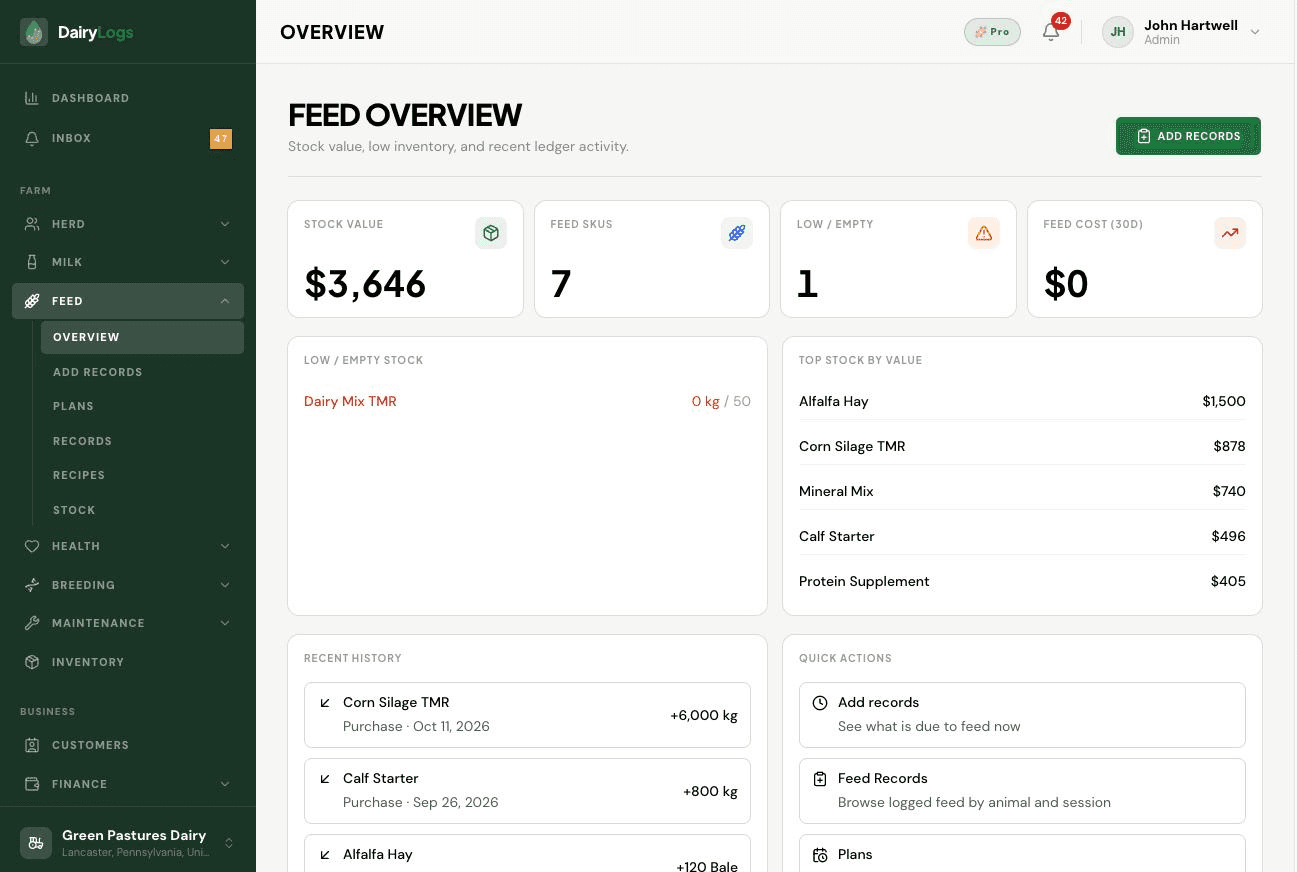
Check DairyLogs feed overview for stock value, low stock, 30-day feed cost, top SKUs, and recent purchases.
Feed overview summarizes stock value, feed SKUs, low/empty stock, 30-day feed cost, top stock by value, recent purchases, and quick actions into add records, plans, recipes, and stock.
Ready to try this on your farm? Create a free DairyLogs account and follow the same steps in your dashboard.
Related
— FAQ
Stock value, SKU counts, low/empty stock, 30-day feed cost, top stock by value, recent purchase history, and quick actions into feed workflows.
Available quantity fell below the threshold set on that feed in Feed → Stock.
Open Feed → Stock and use Add stock (purchases also appear in overview purchase history and inventory value).
Put this into practice
DairyLogs helps you record milk, breeding, feed, health, and finance in one place — so the knowledge on this page becomes daily action.
Start free