— Guides · Team & settings
Configure DairyLogs role access for Admin, Doctor, Accountant, Stock manager, Visitor, and module permissions.
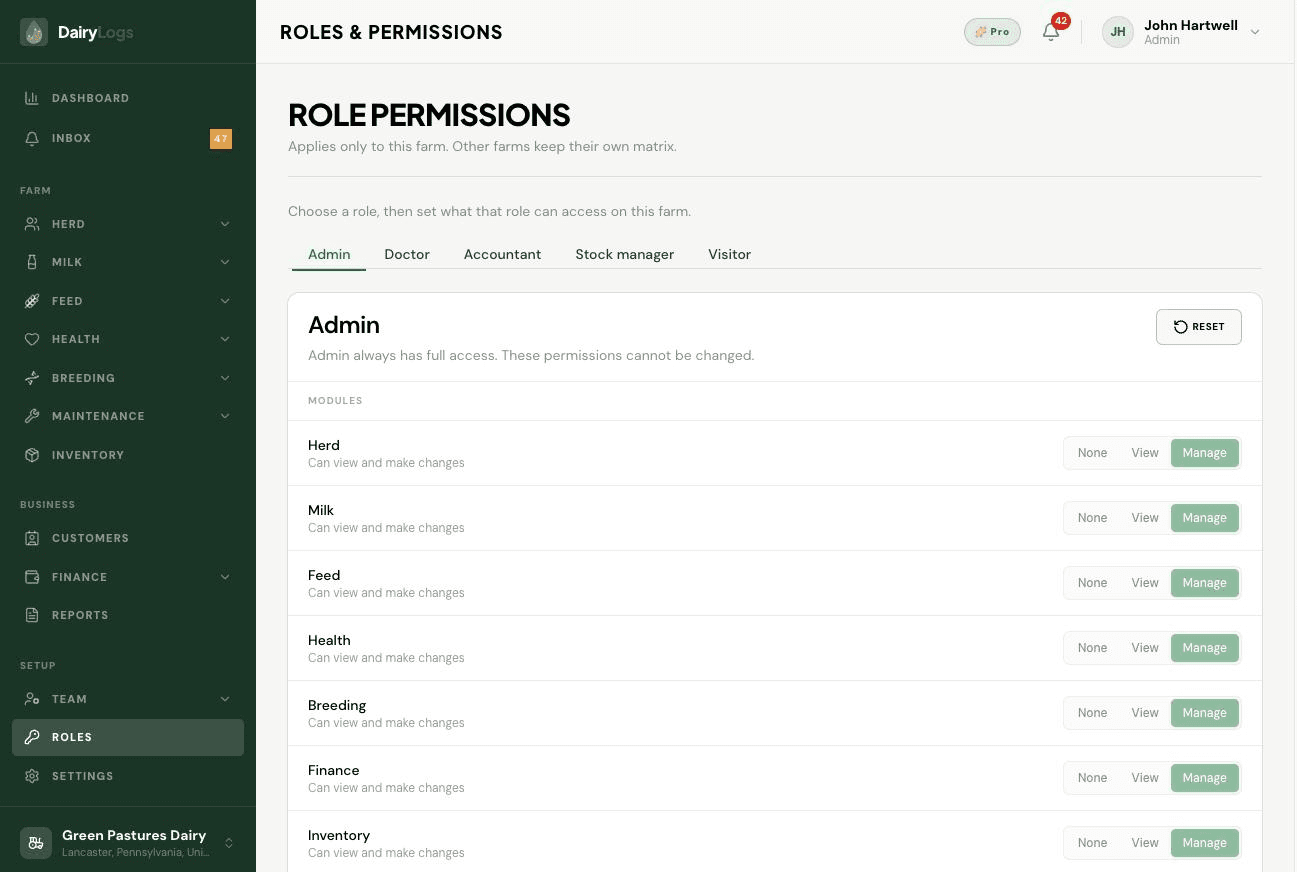
Roles & permissions controls what each role can open—Admin, Doctor, Accountant, Stock manager, Visitor, and more—via a module access matrix and other access toggles.
Ready to try this on your farm? Create a free DairyLogs account and follow the same steps in your dashboard.
Related
— FAQ
Open Roles & permissions and toggle module access per role, then assign those roles on Members.
Common roles include Admin, Doctor, Accountant, Stock manager, and Visitor, each with a different module matrix.
Their role lacks Finance module access. An Admin must enable it on Roles & permissions or change the member’s role.
Put this into practice
DairyLogs helps you record milk, breeding, feed, health, and finance in one place — so the knowledge on this page becomes daily action.
Start free