— Guides · Getting started
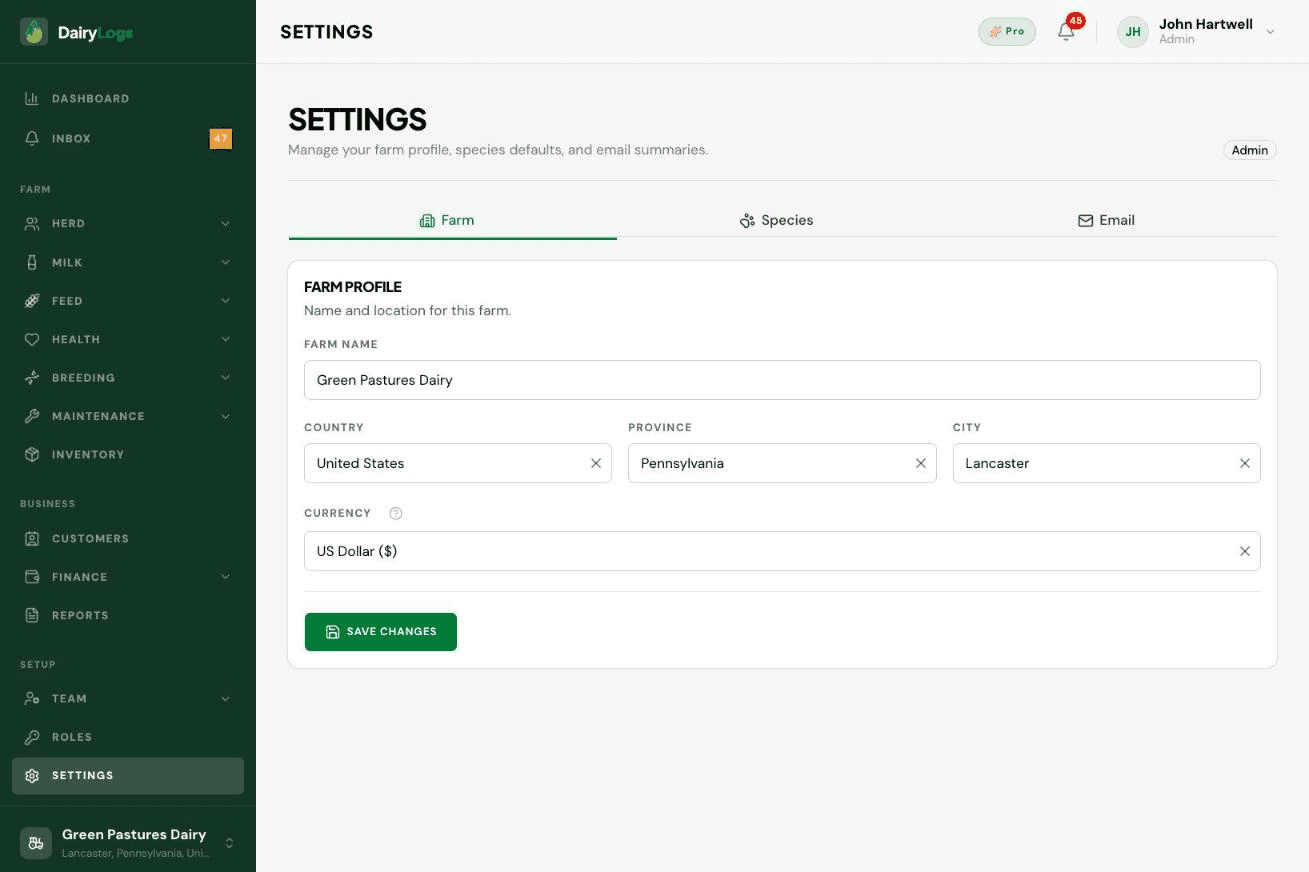
Create or select a DairyLogs farm from the sidebar farm switcher so milk, herd, and finance data land on the right operation.
Every DairyLogs session runs against an active farm. Use the farm switcher in the sidebar to switch farms you already belong to, or choose Add new farm to create another operation with its own herd and books.
Ready to try this on your farm? Create a free DairyLogs account and follow the same steps in your dashboard.
Related
— FAQ
Open the farm switcher in the sidebar, click Add new farm, fill name and location/currency, then save. The new farm becomes the active context.
Open the farm switcher and select another farm you belong to. Dashboard data reloads for that farm.
Settings → Farm (farm profile). You can also review the active farm on Dashboard home via the switcher label.
Put this into practice
DairyLogs helps you record milk, breeding, feed, health, and finance in one place — so the knowledge on this page becomes daily action.
Start free